This step-by-step guide is exclusively available for Lead with AI PRO membership. 🚀 With Lead with AI PRO, you’ll get: ✅ Access to expert-crafted step-by-step guides ✅ AI-powered workflows to boost productivity ✅ Exclusive tools and resources for smarter work Upgrade to Lead with AI PRO and access all premium content instantly.
ChatGPT Work Is Here: OpenAI's Answer to Claude Cowork
OpenAI launched ChatGPT Work on July 9, 2026, an agent that delegates real work across your apps. Here is what leaders need to know and how to try it.
By
Daan van Rossum
Founder & CEO, Lead with AI
What OpenAI Just Launched
Presented by
OpenAI just gave ChatGPT users an answer to a question a lot of them have been asking since Claude Cowork launched: when do we get our own version of this?
Today, they got it. OpenAI launched ChatGPT Work, a new mode inside ChatGPT that sits next to Chat.
Instead of answering a question, it takes on a goal and goes and does the job. It gathers information from your connected apps and files, breaks a project into smaller steps, and stays with it for hours if needed.
It hands you back finished sheets, slides, docs, or a shareable website, not a chat reply.
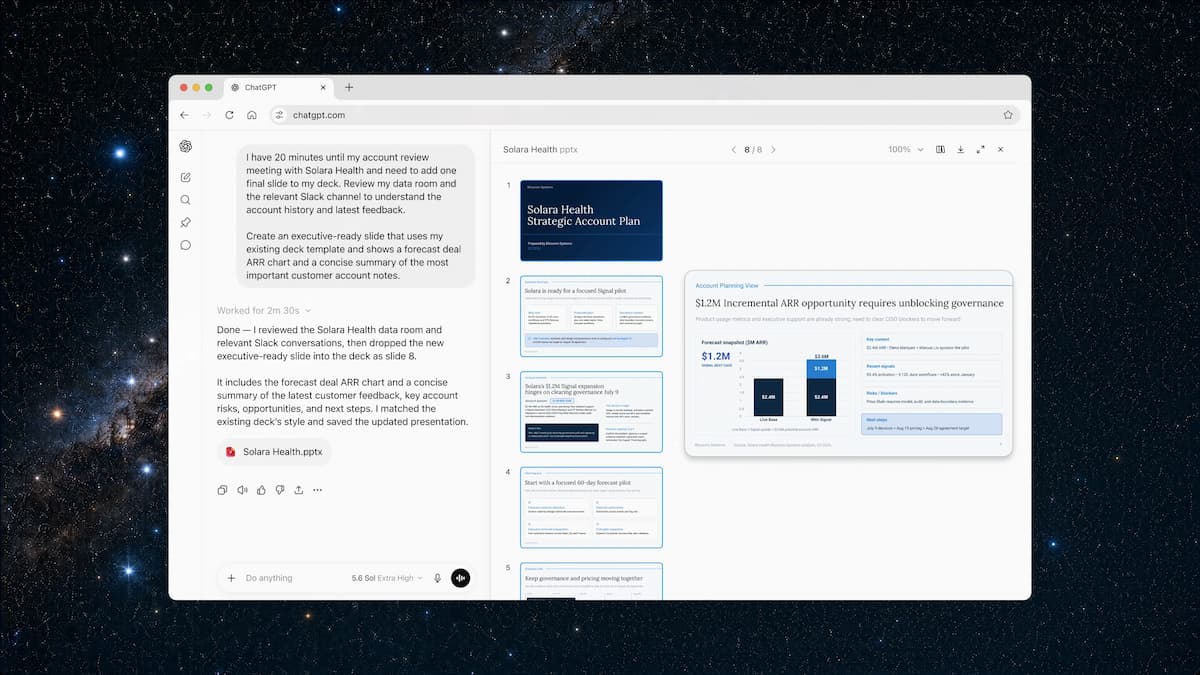
ChatGPT Work can create presentations directly inside the app
I have been using Claude Cowork for months now, delegating real work instead of just prompting, and it is already saving me hours every week.
Seeing OpenAI ship a genuine answer to that is exciting, and from a first look, ChatGPT Work is properly integrated into the product, not bolted on as a separate app.
It runs on GPT-5.6, OpenAI's new flagship model family (Sol, Terra, and Luna), which rolled out the same day. It also has Codex technology built in, the same engine that already powers coding work for more than 5 million people a week.
Flagship AI Newsletter
The AI Newsletter That Makes You Smarter, Not Busier
Join over 30,000 leaders and receive our insights on AI platforms, implementations, and organizational change management.
What Stood Out to Me
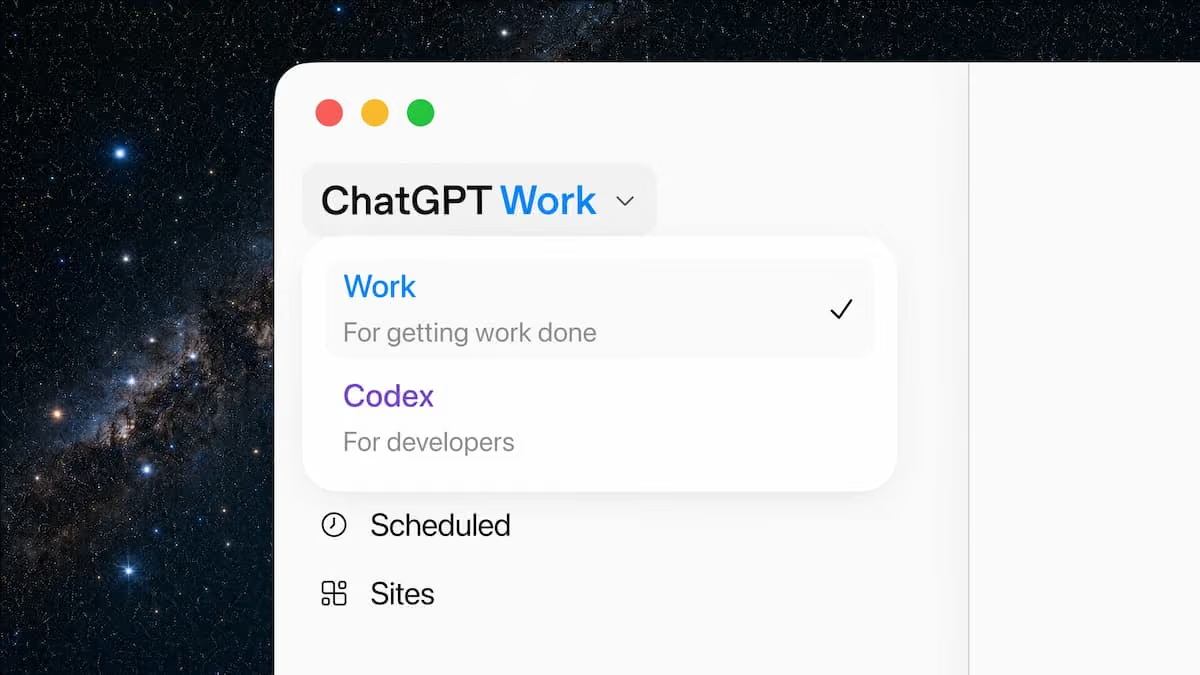
The desktop app now runs three modes in one place: Chat, Work, and Codex. On desktop, Work can reach your local files, your other apps, and a built-in browser. OpenAI is folding the standalone Codex app into this same desktop app, and sunsetting its separate Atlas browser in the process.
Work replaces the request-and-wait loop with delegation. You give it an outcome, not a prompt for a single answer. It decides which of your connected tools to pull from, in what order, and produces the finished material itself.
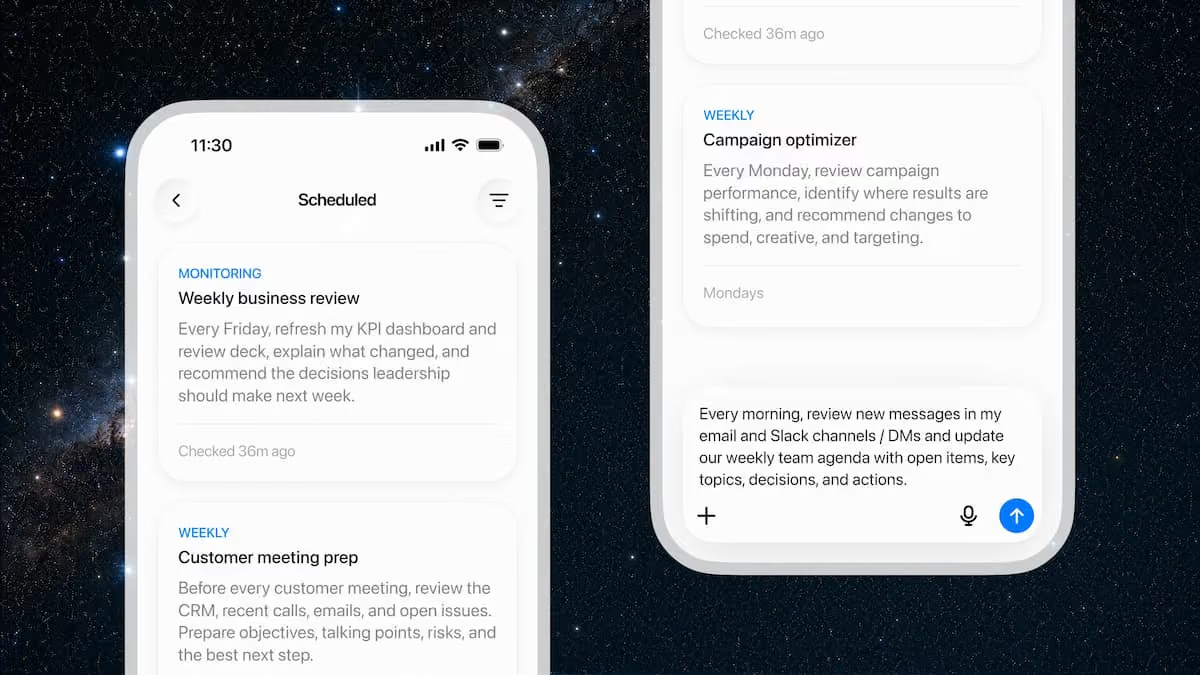
Scheduled Tasks keep projects moving without you. Ask it to run once, repeat on a schedule, or watch for a trigger. One example from the launch: review new messages in Slack and Microsoft Teams every week, and update a document or slide deck automatically when something changes. We build these light automations in Day 6 of AI Leader Advanced, and this made them a lot better.
Sites turns your work into a live, shareable web app. This is new, and it is in public beta. Work can publish a dashboard, project tracker, or interactive report to a URL you send to your team, and it keeps that page updated as the underlying data changes.
Gary C. Tate, our Chief AI Officer and guide of the Lead with AI Agentic Course, shared how these are "full websites with front end and backend, which can run independently of the app as well."
Computer Use runs in the background. On desktop, Work can operate your other apps for you: clicking, typing, moving files, while you keep working on something else. You will see a second cursor moving on its own. It is Work, not you.
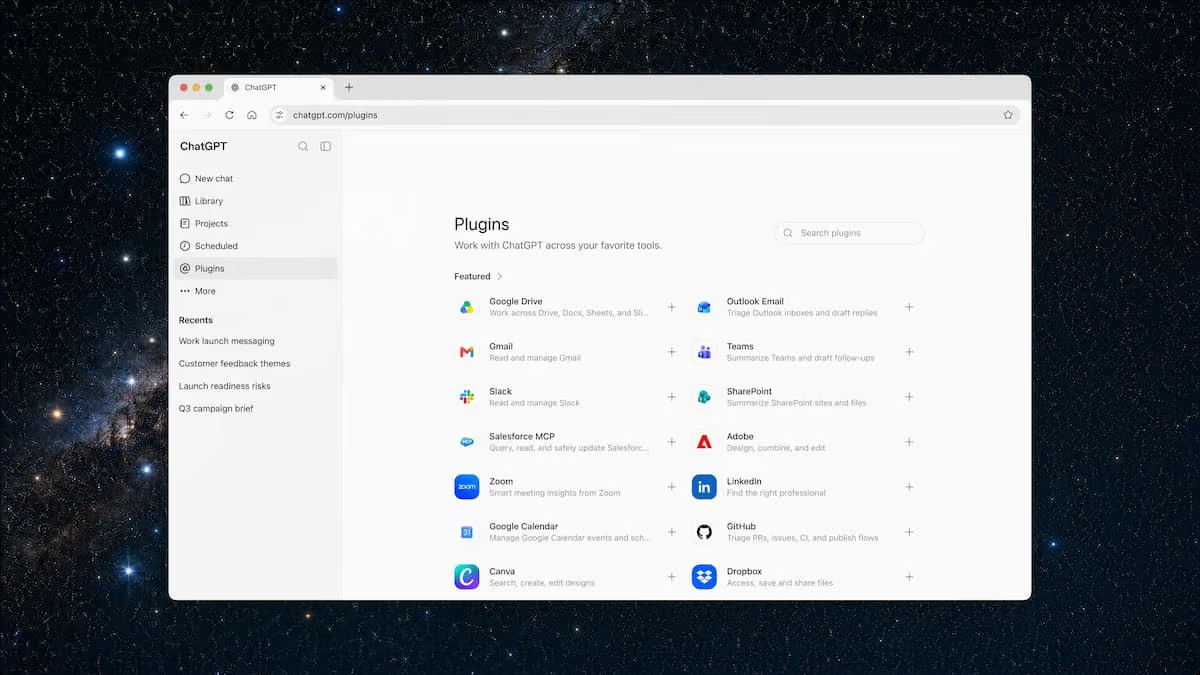
A unified plugins directory connects your tools. Slack, Microsoft Teams, Google Drive, SharePoint, Gmail, calendars, CRMs, and other internal systems all live in one place. Work figures out which plugin to use from your prompt, or you can type "@" and name the app directly. This has been one of my highlights in Claude Cowork, and it's exciting to see it so well-integrated in Work too.
Plugins in the new ChatGPT Work
You stay in control of what it can touch and when. You decide what Work can access, when it checks in with you, and when it needs your sign-off before taking an action, like sending a message or publishing something externally.
How to use ChatGPT Work: Marketing, Sales, Operations, and Finance
Here is what this looks like by function, based on OpenAI's own early customers and internal teams.
Marketing
Zapier's marketing team used Work to trace customer touchpoints across its CRM, email, and other tools. It found where follow-ups broke down and generated a weekly executive dashboard, surfacing seven figures in missed pipeline.
OpenAI also published a video in which they show how a marketing team quickly puts together a deck from real campaign data.
NVIDIA used it to automate preparation for its GTC conference, a process that used to eat 40% of the pre-event workload. Afterward, Work synthesized hundreds of session transcripts and customer notes so the team's review could focus on findings instead of data assembly.
Sales
Inside OpenAI, Work turned a single discovery-call conversation into a tailored proof of concept within 24 hours, a process that normally takes weeks. It structured the notes, routed the request to a solutions architect, and coordinated with the technical team, freeing the seller to stay focused on the customer.
Operations
RingCentral used Work to turn a manual monthly launch check into an automated workflow: reviewing release plans, Jira tasks, and go-to-market schedules, then flagging blockers and unclear ownership in a source-backed report.
That single change let one person go from supporting one product manager to supporting roughly 50. Virgin Atlantic used Work to compare the airline's passenger experience against competitors for its five-year plan, turning weeks of analysis into hours.
OpenAI published an additional video showing an example of how an Operations team can build on-the-fly dashboards from real-world data, and share it in the team:
Finance
Inside OpenAI, Work cut month-end close and forecasting from days down to hours, pulling source data into Excel or Sheets, reconciling it, and building the slides.
In a live demo, a finance lead had Work run a full variance analysis, propose an updated forecast, and update the Excel model. It then built the supporting PowerPoint and published an interactive Site, all from one thread, before messaging the link straight to a colleague on Slack.
From Prompting to Getting Work Done
The real shift is palpable when reading about these updates.
With a normal prompt, you ask a question, get an answer, and still do the next five steps yourself. With Work, you hand off the whole chain, and it runs multiple steps across multiple tools without you in the loop for each one.
Every major platform is racing toward the same idea.
Claude Cowork does this for people who never touch code. Microsoft Copilot's agent mode is doing it inside Office. And now ChatGPT Work does it natively inside the world's most-used AI product, with close to a billion weekly users behind it.
For the fuller landscape of where each platform stands right now, our top AI websites guide is a good place to start. Our recent look at Claude Cowork's own move to web and mobile shows what the other side of this race already looks like in daily use.
OpenAI reports that in adversarial red-teaming, its "auto-review" safeguard blocked 100% of attempts to extract protected data through connected tools, which matters if you are considering pointing this at client or financial data.
Reactions to the underlying GPT-5.6 model itself are split. Axios reports some builders find it more reliable for everyday agent work, while others still prefer Anthropic's competing model for raw intelligence.
Flagship AI Newsletter
The AI Newsletter That Makes You Smarter, Not Busier
Join over 30,000 leaders and receive our insights on AI platforms, implementations, and organizational change management.
The Bottom Line
OpenAI launched ChatGPT Work: an "agent mode" inside ChatGPT that gathers context across your connected apps and files, works through multi-step projects independently for hours, and returns finished sheets, slides, docs, or live websites instead of chat answers.
It runs on the new GPT-5.6 model family and has Codex built in. This is OpenAI folding chat, coding agents, and browser automation into one product with one name, and it is the clearest signal yet that agentic delegation is becoming the default way people work with AI, not a niche feature.
How to try it:
It is rolling out today to Pro, Enterprise, and Edu plans on web and mobile, reaching Plus and Business over the next few days. Chat, Work, and Codex are free on the rebuilt desktop app.
Start with a GED-RT task you already know cold: a month-end variance review, a meeting-prep briefing, or turning research into a campaign brief.
Connect the two or three tools you use most (Slack, Drive, your calendar) from the new plugins directory first, so Work has real context to pull from.
The tool is not the hard part. Knowing which parts of your week are worth handing off, and understanding your own workflow well enough to hand it off cleanly, is the actual skill: what we call Workflow Literacy.
Get that right and every scheduled agent becomes a real lift to your Impact per Hour, which is the whole point of people-centric AI transformation: augmenting the people doing the work, not replacing the judgment they bring to it.